Your photo, as clay
Keep the features that make your reference recognizable.
Add a clear portrait with the face fully visible.
FROM FLAT IDEAS TO HAND-BUILT WORLDS
Upload a selfie, pet photo, or product shot and turn it into a tactile clay-style image. Keep the features that matter, then shape the matte texture, soft seams, and miniature setting—or create a new character from a prompt.

Choose the clay look, add your photo, and create your own image. You can adjust the details before generating.

Selected look
Add a clear photo of your pet with its face and coat visible.
1. Add your photo
The style is ready. Open this only if you want to change what stays recognizable.
Choose an example to load its look and settings. Review the Credit cost before generating.
Keep the features that make your reference recognizable.
Add a clear portrait with the face fully visible.
Build a whole miniature world around one clear character.
No photo needed. The scene is ready to customize.

Give a clay character a setting with personality.
No photo needed. The scene is ready to customize.
Make a playful keepsake from a clear pet photo.
Add a clear photo of your pet with its face and coat visible.

Explore a campaign visual with a handmade set.
Add a clear product photo showing its shape and main colors.
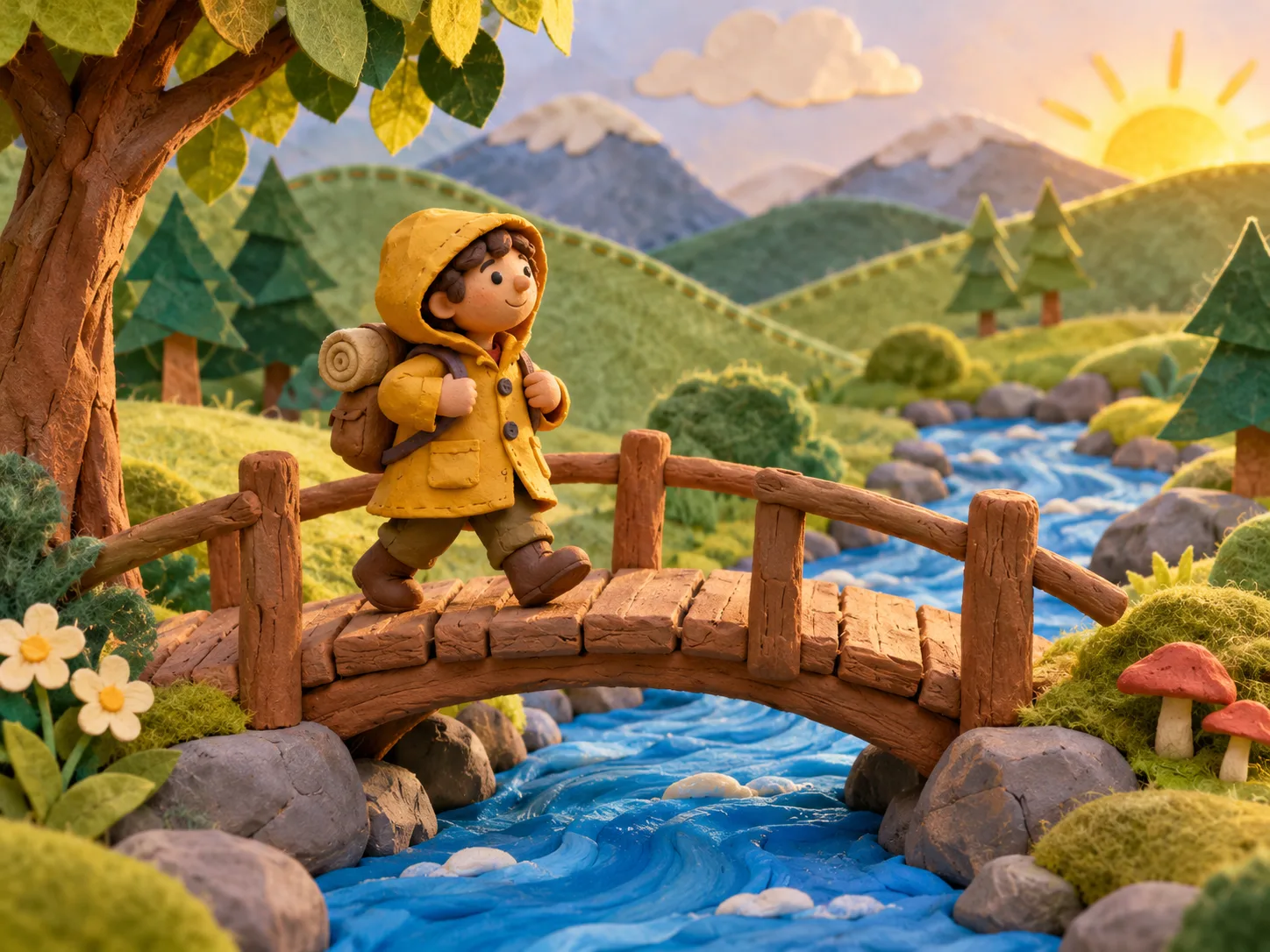
Try a wide scene with a clear action and tactile scenery.
No photo needed. The scene is ready to customize.
These illustrations show style ideas, not customer results or before-and-after comparisons. Your result will vary.
Each 1K or 2K image uses 20 Credits on Credit-based plans. Generating requires sign-in and a paid plan or Credit pack.
You can return to this page to find your latest image and download it.
WHY SOME CLAY ART FEELS REAL
A clay character is more than a smooth 3D figure with rounded edges. The handmade feeling comes from small irregularities: a thumb pressed into a cheek, a seam where two pieces meet, or a miniature floor that looks cut and placed by hand.
Make everything too clean and the scene becomes glossy CGI. Add texture without structure and it becomes a rough sculpture floating in an ordinary background. A believable claymation style brings the character, material, set, light, and camera into the same miniature world.
START WITH AN IDEA OR SOMETHING REAL
Use the claymation style generator in two ways: describe a new character from words, or upload a photo when the subject is already part of your story.
Describe a character, product, place, or moment. Add the material, miniature set, lighting, and camera details that make the scene feel physically built.
Upload a portrait, pet photo, product image, or existing composition. Say what should become clay and what should remain recognizable, such as the pose, expression, colors, or camera angle.
The result is an AI-generated clay-style image, not a photograph of a physical clay model.
MATERIAL, SET, LIGHT, CAMERA
Ask for matte plasticine, faint fingerprints, sculpting-tool marks, and slightly uneven surfaces. Avoid glossy, polished, and seamless finishes unless you want them.
Small seams around arms, clothing, ears, handles, or props suggest separate clay pieces assembled by hand. Keep them subtle.
Try painted cardboard walls, felt hills, clay furniture, paper leaves, tiny practical lights, or a tabletop diorama.
Soft studio light, directional shadows, macro framing, and shallow depth of field help a scene read as a photographed miniature.
CLAYMATION PROMPT IDEAS
Load a claymation style prompt into the editor, change a few details, and review it before generating. These style examples illustrate ideas for this page; they are not user results from Krea 3, and your image will vary.
Build a whole miniature world around one clear character.
A small hand-sculpted orange clay fox carrying a yellow lantern through a miniature pine forest, faint fingerprints and soft seams, red clay mushrooms, warm lantern light, macro photography, shallow depth of field.
Give a clay character a setting with personality.
A hand-sculpted clay portrait of a cheerful bookshop owner, matte plasticine skin, subtle fingerprints, a knitted clay cardigan, miniature shelves of tiny books, warm window light, shallow depth of field.
Keep the features that make your reference recognizable.
Turn my uploaded photo into a handmade clay figure. Keep the same facial features, hairstyle, expression, pose, and clothing colors. Add soft construction seams, matte clay texture, and a simple miniature studio background.
Make a playful keepsake from a clear pet photo.
Make a playful clay version of the pet in my uploaded photo, keeping its coat pattern and face shape. Place it beside a miniature red rain boot, with hand-shaped fur texture, soft overcast light, and an eye-level tabletop diorama.
Explore a campaign visual with a handmade set.
A handmade clay version of the product in my uploaded photo displayed inside a miniature corner shop. Preserve the package shape and main colors. Matte plasticine materials, tiny paper price labels, soft studio lighting, clean 4:5 composition.
Try a wide scene with a clear action and tactile scenery.
A small clay explorer crossing a bridge over a blue plasticine river, felt hills, paper trees, visible sculpting marks, golden morning light, wide storybook composition.
A SIMPLE CLAY PROMPT FORMULA
Subject + clay material + construction detail + miniature set + light + camera + anything that must stay unchanged.
A cute clay fox.
A small hand-sculpted orange clay fox carrying a yellow lantern through a miniature pine forest, faint fingerprints and soft seams, red clay mushrooms, warm lantern light, macro photography, shallow depth of field.
FROM ONE CLAY IMAGE TO A BIGGER IDEA
Ask to preserve the features, pose, hairstyle, and colors that make the person recognizable.
Give a pet the proportions and tactile charm of a handmade clay figure. Start with a clear photo of one subject.
Explore miniature sets for campaigns, packaging, and social ads while keeping important shapes and brand colors explicit.
Try a character, prop, set, or color direction before committing to illustration, modeling, or physical production.
FROM FIRST IDEA TO FINISHED IMAGE
Write a scene from scratch, or add a photo when you want the subject, pose, pet, product, or composition to guide the result.
Describe the clay, a handmade detail, the miniature set, the light, and anything that must remain recognizable.
Select an aspect ratio and 1K or 2K output. Review the Credit cost, sign in, and generate your image.
Change one detail at a time. Completed images are saved in your private result library for review and download.
WHEN THE FIRST RESULT DOES NOT FEEL LIKE CLAY
Add “matte plasticine,” “faint fingerprints,” and “hand-pressed surfaces.” Remove glossy, polished, perfect, or smooth from your prompt.
Describe how it was made: hand-shaped edges, assembled clay pieces, visible seams, tool marks, and a photographed miniature set.
Return to the original reference. Name the face shape, expression, coat pattern, hairstyle, colors, pose, or angle to keep.
Keep one main subject, one supporting prop, and one simple set. A smaller story makes the material easier to read.
Ask for subtle fingerprints and light construction seams rather than heavy cracks or surface damage.
ONE CHARACTER, MORE THAN ONE SCENE
Choose your strongest character image as a reference for the next scene. Repeat the same defining traits—face shape, hairstyle, outfit, clay colors, proportions, and signature prop—in each prompt.
Change one major variable at a time. For the most consistent character, reuse the same source image and a short character description across the series.
AI CLAY ART AND PHYSICAL STOP MOTION
This tool creates still AI-generated clay-style images. It does not automatically produce a complete frame-by-frame claymation film. Use your image as a character design, key visual, storyboard frame, or reference for a separate animation workflow.
BEFORE YOU GENERATE
CLAYMATION STYLE GENERATOR FAQ
It is an AI image tool that turns a written prompt or reference photo into a clay-style image. Describe sculpted forms, matte plasticine, subtle fingerprints, seams, and a miniature set to guide the look.
Upload a clear photo, describe the clay material and miniature setting, and say what should remain recognizable. For a portrait, name the face shape, hairstyle, expression, and pose; for a product, name its silhouette and main colors.
It can help you get a clay filter look, but it generates a new image guided by your photo and prompt rather than placing a fixed overlay on the original. Faces, poses, and details can vary, so review the result before using it.
Smooth surfaces, glossy reflections, and perfect edges can make it feel like CGI. Ask for matte plasticine, subtle fingerprints, hand-shaped edges, soft seams, and photographed miniature lighting.
Reuse the same source image and repeat a short list of defining traits. Change one major scene element at a time for the most consistent character.
This page creates still clay-style images, not a complete claymation video. Use the result as a character design, keyframe, or storyboard panel for a separate animation workflow.
You can explore the page and write a prompt before buying. Generating requires sign-in and a paid plan or Credit pack. Lite provides 1,000 Credits, enough for 50 images at 20 Credits each.
Each supported 1K or 2K image uses 20 Credits on Credit-based plans, whether it begins with text or an uploaded image.
No. Uploads and generated results are not published in a public gallery. See our Privacy Policy for storage and data-handling details.
Yes. You can use the images you create here in personal and commercial work, including client projects, ads, social posts, and products, with no attribution required. Any credit pack removes the watermark. You are responsible for having the rights to anything you upload, such as photos of people, logos, or brand assets.
EXPAND YOUR WORKFLOW
Use existing Krea 3 tools to explore a related visual direction or plan your next image.
Start with a prompt or reference image and describe one change at a time.
Explore the image agentCompare haircut and color ideas on your own portrait before making a change.
Open the hairstyle changerCompare one-time packs and subscriptions before creating more clay-style images.
See image pricingMore AI tools
 Black Friday40% off Starter, Creator or Pro Credits yearly plans through Cyber Monday.
 AI Christmas photo generatorTurn a selfie, couple photo or pet into a cozy holiday portrait.
 Hotel Lobby AI video generatorPut two photos into the viral orange booth rap performance, with the original moves and audio.
 Ghostface AI photo generatorThe Y2K horror trend photo, with a masked figure lurking behind you.
 Krea AI hairstyle changerTry a new haircut or color on your own photo before you book.
 AI photo background changerGive a portrait or product photo a new AI-generated scene, from solid color to e-commerce white.
 AI Image AgentCreate, edit, and refine images step by step through natural-language conversation.
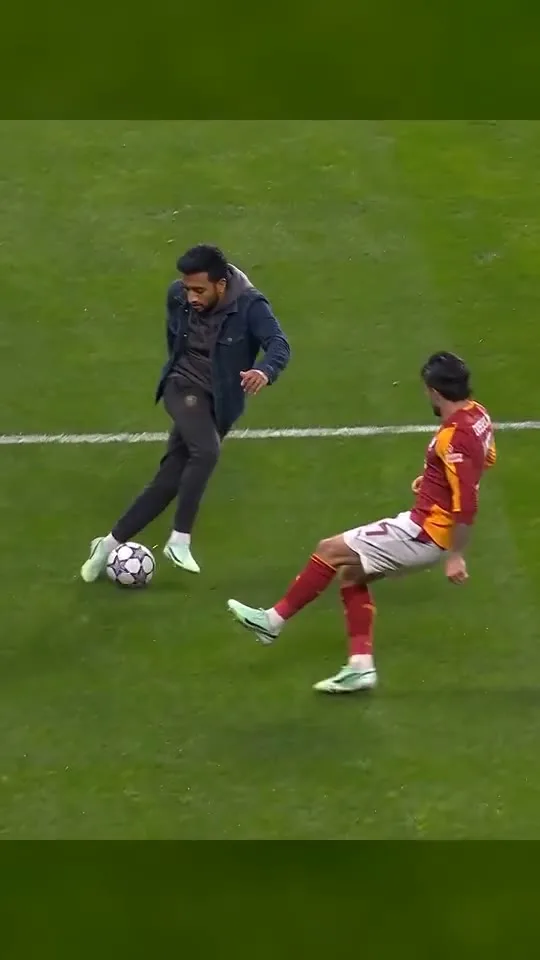 Lamine Yamal AIAn 8-second video of you faking the rabona past a sliding defender, from one photo.
 AI birthday cardMake a personal birthday or wish card and send it with image Credits as a gift.Krea 3 vs Krea 2See how the two image models differ in realism, faces, text, and price per image.
YOUR CLAY WORLD CAN START WITH ONE FRAME
Start with the character, object, or moment you can already see in your head. Give it a material, a miniature set, and a little imperfection—then create the first image in its world.
Pick your plan
Use one Credit balance to generate both AI images and videos. Choose monthly, annual, or one-time packs that never expire.
Pay once for a year. Starter, Creator and Pro Credits receive 1,000, 3,500 and 10,000 Credits monthly for both images and videos. 40% off your first year; cancel renewal anytime.
Gift a friend. Send any Credit pack as an AI birthday or wish card and save 20%.
Make a gift card